NextIn progress
AI storyboards
- Describe a shot, get a storyboard sketch
- Bring your own AI service key (API)
STB · STORYBOARD TO SHOOT · v1.8.0
A pre-production tool a working commercial director built for himself — tone, storyboard, call sheet and schedule live in one document. Present it as it is, export the moment the meeting ends.
Mac: Apple Silicon, macOS 13+ · Windows 10/11 64-bit · iPad: NT$350 one-time, with Apple Pencil sketch storyboards
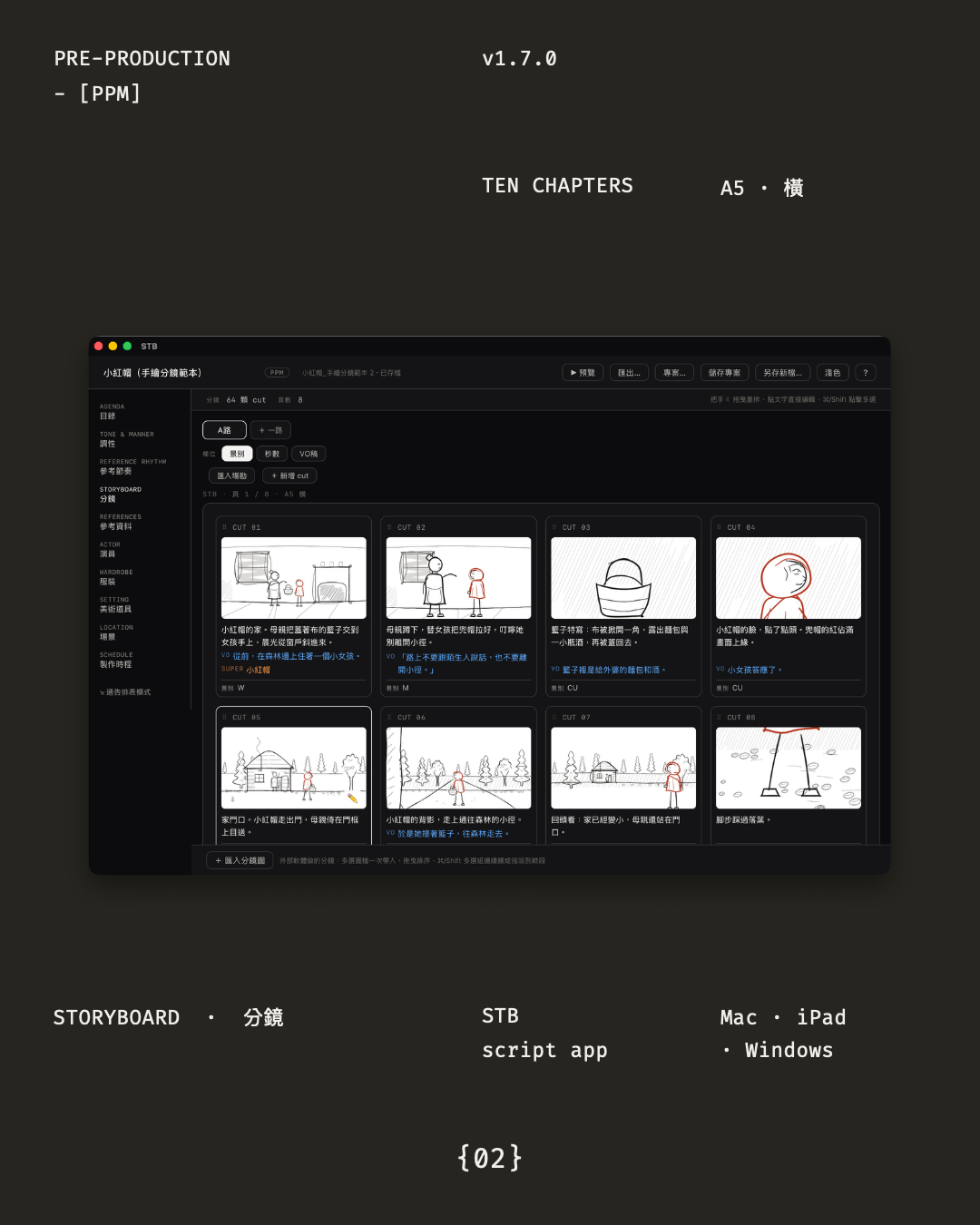
Swipe through the ten-page intro
The core idea
STB's ten chapters share one dataset — storyboard, call sheet, rundown and Gantt all stay in sync. Change one thing and everything downstream recalculates; no more cross-checking tables by hand.
Features
One document carries the project from the first pitch to the shooting day.
Contents, tone, reference & pacing, storyboard, references, cast, wardrobe, art & props, locations, production schedule — organized the way a film actually gets made.
Pen, marker, eraser — nothing to learn. Separate scene and character layers, so duplicating a cut means redrawing only the action; location photos sit semi-transparent underneath for tracing.
Brush-size slider, custom colors with saved swatches, draggable custom layers, lasso select to move or scale strokes — the full 1.7 sketch overhaul.
Walk into the meeting with the document itself: full-screen 16:9 presentation from cover to call sheet — no separate deck to build.
PDF (16:9) and editable PPTX; pack the whole project into a single .stb file and another Mac or iPad picks it up as-is.
No account, no cloud, no data collection — a project is just a folder on your machine, fully offline.
UPDATES & ROADMAP
Swipe through what each version shipped — the first card is what's coming next.
Download
Mac and Windows are free forever and MIT open source; current version 1.8.0.
macOS 13 Ventura or later · Apple Silicon (M1+)
Download DMGSigned and notarized — opens right away. Intel Macs are not supported.
Windows 10 / 11 · 64-bit
Download installerThe installer isn't code-signed yet — if SmartScreen prompts on first launch, click "More info → Run anyway".
iPadOS · Apple Pencil sketch storyboards
App StoreThe 1.7 sketch overhaul is live. Same file format as desktop — .stb projects hand off both ways. Available in Taiwan, Hong Kong, Macao, Singapore and Malaysia.
FAQ
Mac and Windows are free forever and MIT open source. The iPad version is a NT$350 one-time purchase — you're paying for App Store signing and easy updates. No subscription, no in-app purchases.
Only on your device. No account, no cloud, no analytics, no ads — a project is a folder on your machine, and packing it into a .stb file takes it anywhere.
No. The Mac version requires Apple Silicon (M1 or newer) and macOS 13 or later.
The Windows installer isn't code-signed yet, so SmartScreen shows a prompt — click "More info → Run anyway". The installer matches the source published on GitHub.
Same data format — .stb files hand off in both directions. The iPad adds Apple Pencil sketch storyboards: scene/character layers and semi-transparent location photos to trace over, which is exactly what you want on location.
Open an issue on GitHub or email alignediosapp@gmail.com — read and answered personally.